

 English
 العربية
 中文
中文How to connect your business to an Accredited Service Provider
· 7 min
Choosing an ASP in Oman is one thing; connecting to one on the Fawtara Portal is another. The steps, the stages and the notifications, in order.
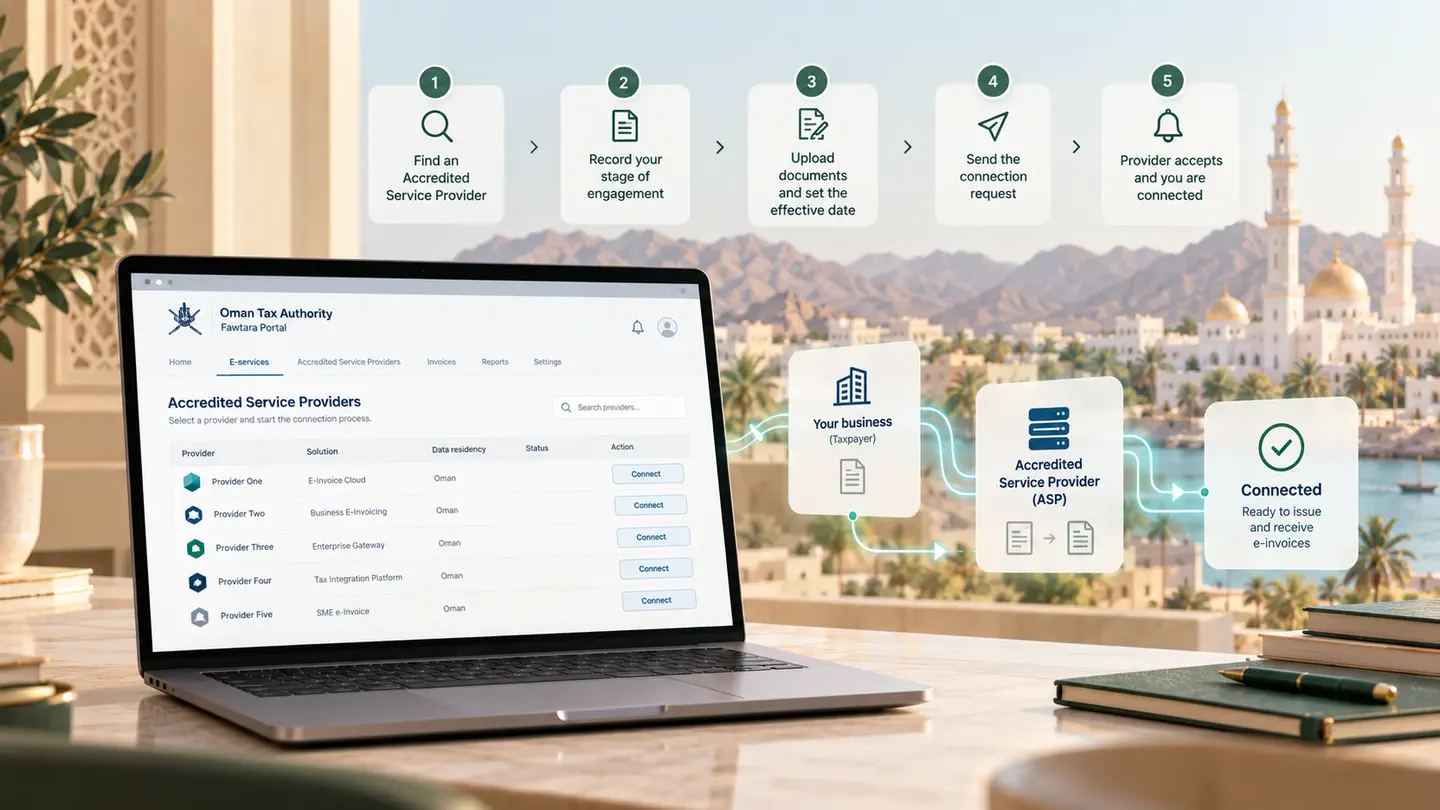
You cannot issue a Fawtara e-invoice on your own. A taxpayer in Oman reaches the network through an Accredited Service Provider, and that relationship is recorded on the Fawtara Portal rather than agreed privately between the two of you.
This is the connection process as the Oman Tax Authority's association management manual describes it.
Finding the accredited list
Log in to the Fawtara Portal and open Accredited Service Providers from the top navigation. The list shows each provider's name, solution name, data residency and contact details.
You can connect to only one service provider. That is worth sitting with before you press anything — it makes the choice a real decision rather than a trial.
Recording your stage of engagement
Before the connection itself, the portal asks you to record where you have got to with the provider you have picked. The stages are:
- Identify Service Provider
- Scope and Commercial Negotiations
- Scope and Commercial Finalized
- Agreement / Contract Signed
You update these as you progress, and all of them have to be complete before the connection can proceed. Once you save a selection, the Connect button beside that provider becomes Continue.
The effective date
After your documents are uploaded, give a preferred effective date for onboarding. It has to be today or a future date. If you leave it empty, the connection takes effect as soon as your service provider accepts the request.
This is the field to think about if you are mid-period. An effective date lets you line the switch up with a month end rather than with whenever someone at the provider happens to click accept.
Sending the request
Press Connect, confirm on the disclaimer, and the request goes to the provider. Both sides are then notified by email, SMS, on-screen message and portal alert that a connection request has been submitted.
What happens next is one of four outcomes, each with its own notifications to both parties:
- Accepted. The provider is told to add you to the SMP within three business days.
- Rejected. The provider selects a reason, and you are emailed the rejection.
- Expired. No action was taken in time; both sides are told.
- Withdrawn. You pulled the request back before it was answered.
If you are already connected to someone else
Sending a connection request to a new provider while an active connection exists starts the disconnection from the old one in parallel. The previous provider is notified by SMS, email and portal alert that you have disconnected, is given the reason, and is told they have one day to remove you from the SMP.
The handover is measured in days, not weeks. Plan the switch around that, not around your contract notice period.
Withdrawing a request
A connection request that has not yet been approved can be withdrawn. Under E-services → Manage Taxpayers, the Connect button becomes Withdraw. You and the provider both receive email confirmation.
Related questions
Can we connect to two providers to compare them?
No. The portal holds one active connection per taxpayer. Comparison happens before the connection, during the engagement stages.
How long does the provider have to respond?
Connection requests expire if they are not acted on, and both sides are notified when that happens. A provider's own disconnection request against you expires after three days if you take no action.
What is the SMP?
Oman's centralised Service Metadata Publisher — the directory that tells the network which provider to deliver your invoices to. Your provider adds, amends and removes you there, and the SMP checks with the Fawtara Portal that a valid connection exists before allowing any of it.
Before you choose, work through the questions to ask any provider. If you want help shortlisting, talk to our team.